
Loading...
2025 Copyright WeboBoost. All rights reserved.
By Walid
December 09, 2025
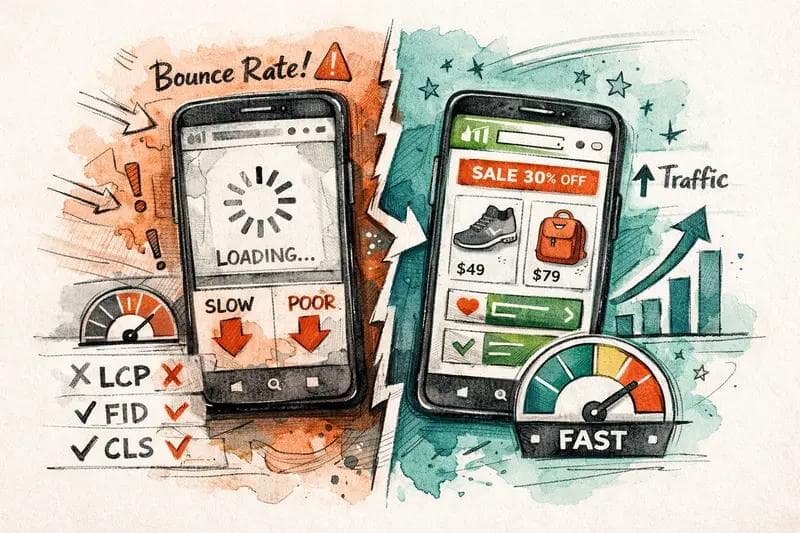
If you need to speed up Shopify website performance because you are losing mobile traffic, you are in a "code red" situation. Google's mobile-first indexing means a slow mobile site doesn't just annoy users; it kills your search rankings.
Speed is currency. A one-second delay in mobile load times can impact conversion rates by up to 20%. Therefore, you must act immediately to stop the revenue bleed.
The Zero-Click Summary:
To speed up a Shopify website immediately, audit your store using Google PageSpeed Insights. Focus on Core Web Vitals by compressing all images (WebP format), uninstalling unused apps to reduce JavaScript bloat, and switching to a lightweight Online Store 2.0 theme (like Dawn). Aim for a mobile load time under 3 seconds.
Mobile devices have slower processors than desktop computers. Consequently, code that runs smoothly on a laptop may crash a smartphone browser.
Many merchants panic over their "Shopify Speed Score." However, Google does not use Shopify's internal metric for ranking. Google uses Core Web Vitals found in PageSpeed Insights.
If your PageSpeed Insights score for mobile is below 50, Google is likely throttling your traffic.
Data consistently shows that 53% of mobile visits are abandoned if a page takes longer than 3 seconds to load. If your analytics show a high "Bounce Rate" on mobile, speed is the culprit.
![Image Suggestion: A split-screen comparison showing a fast loading mobile site vs a loading wheel. Alt Text: Mobile user abandoning a slow store while trying to speed up shopify website.]
You do not need a developer for these steps. These actions will help speed up Shopify website loading times within hours.
High-resolution product photos are the heaviest element on most pages. Never upload raw images directly from a camera.
Resize: Ensure images are no wider than the maximum display width (usually 2048px).
Compress: Use tools like TinyIMG or Crush.pics to reduce file size.
Format: Use WebP format. It offers superior compression compared to JPEG or PNG.
Every app you install adds extra code (JavaScript) to your site. Even if you disable the app, the code often remains.
Lazy loading tells the browser to only load images when the user scrolls down to them. This dramatically improves the initial load speed (LCP). Most modern Shopify themes (Online Store 2.0) have this built-in, but you must ensure it is enabled in your theme settings.
Once the basics are fixed, you need to tackle the technical infrastructure.
"Render-blocking" resources prevent the screen from displaying anything until a file is fully downloaded. This stares at the user with a blank white screen.
How to fix it:
Custom fonts look great, but the browser has to download the font file before it can display text. This causes a "flash of invisible text."
Recommendation: To speed up Shopify website rendering instantly, use a "System Font" stack (like San Francisco for Apple, Roboto for Android). The device already has these installed, so the text loads instantly.
INP measures responsiveness. If a user clicks "Add to Cart" and the phone freezes for a second, you have a bad INP score. This is usually caused by heavy JavaScript execution on the main thread. Reducing third-party apps is the best way to resolve this.
![Image Suggestion: A technical diagram showing the 'Main Thread' of a browser being blocked by app scripts. Alt Text: JavaScript blocking main thread slowing down shopify website.]
If you are using an old vintage theme, you are fighting a losing battle. Shopify's Online Store 2.0 architecture (like the Dawn theme) is JSON-based and significantly faster than older Liquid-based structures. It prioritizes speed by default.
Shopify uses Cloudflare as a default CDN. This means your images are stored on servers all over the world. You do not need to configure this manually. However, ensure you are not hosting large video files directly in Shopify files. Embed them via YouTube or Vimeo to leverage their streaming infrastructure.
Desktops have powerful CPUs and stable Wi-Fi connections. Mobile devices rely on batteries, slower processors, and variable 4G/5G networks. Furthermore, mobile browsers throttle CPU usage to save battery, making unoptimized code run much slower.
No. You can achieve significant gains by compressing images, removing unused apps, and using a modern theme like Dawn. However, for advanced tasks like "minifying JavaScript" or removing old app code, a developer may be safer.
A Google PageSpeed Insights score of 50-89 is considered "Needs Improvement," while 90+ is "Good." However, for e-commerce, a score above 60 on mobile is often sufficient if your real-world "Core Web Vitals" (Field Data) pass the assessment.
Losing mobile traffic is a revenue emergency. To speed up Shopify website performance, start with the low-hanging fruit: compress your images and uninstall unused apps. These two actions alone can double your speed.
Once the bleeding stops, upgrade to an Online Store 2.0 theme to future-proof your business. Do not wait—every second of delay is a customer handing their money to your competitor.